
Sentry Triggers
Overview
Triggers can be used with Sentry to automatically toggle a Feature Flag based on application errors or performance issues. For example, you can create a trigger that disables a Feature Flag and connect it to a Sentry alert webhook. If Sentry detects a spike in errors or a critical issue in your application, it can call the trigger URL, allowing VWO to automatically disable the Feature Flag and prevent further impact to users.
1. Creating the Trigger URL
To set this up, you need to construct the API URL for the specific feature environment you want to control. Because Sentry webhooks do not support custom headers or custom payloads, the required parameters (isEnabled and the authToken) must be included directly in the URL query parameters.
URL Format:
https://app.vwo.com/api/v2/accounts/current/environments/<envId|sdkKey>/features/<featureId|featureKey>/toggle?isEnabled=<0|1>&authToken=<api_token>Required Parameters:
- featureId_or_key – The ID or key of the feature flag you want to control.
- envId_or_key – The ID or key of the environment where the feature flag should be toggled.
- isEnabled – Set to
0to disable the feature flag (or1to enable it). - authToken – Your VWO API authentication token.
2. Connecting to Sentry
Once you have your complete URL, you need to configure it in Sentry as an Internal Integration.
-
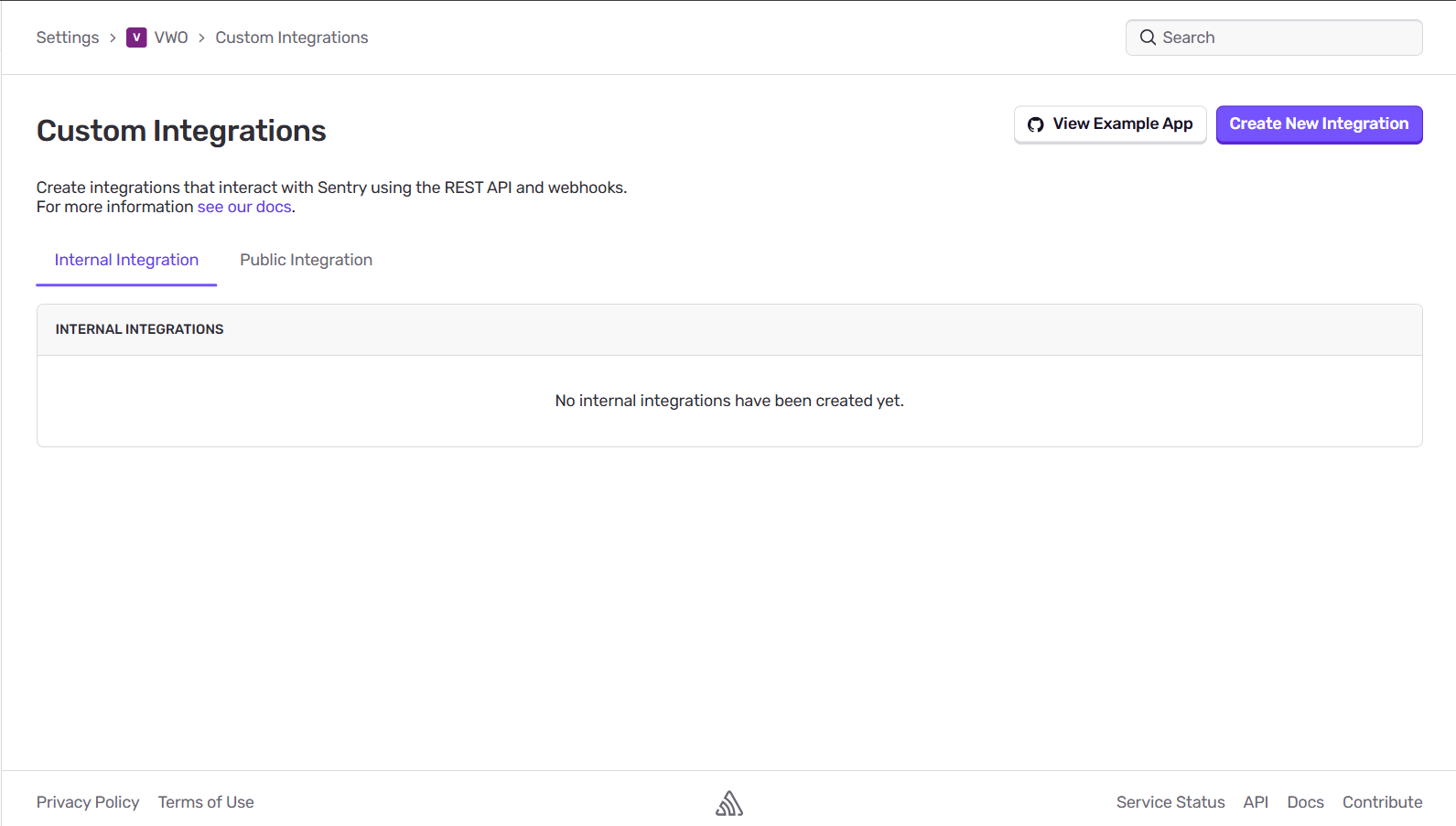
Log in to Sentry and go to Settings > Developer Settings.
-
Click Custom Integrations > Create New Integration > Internal Integration
-
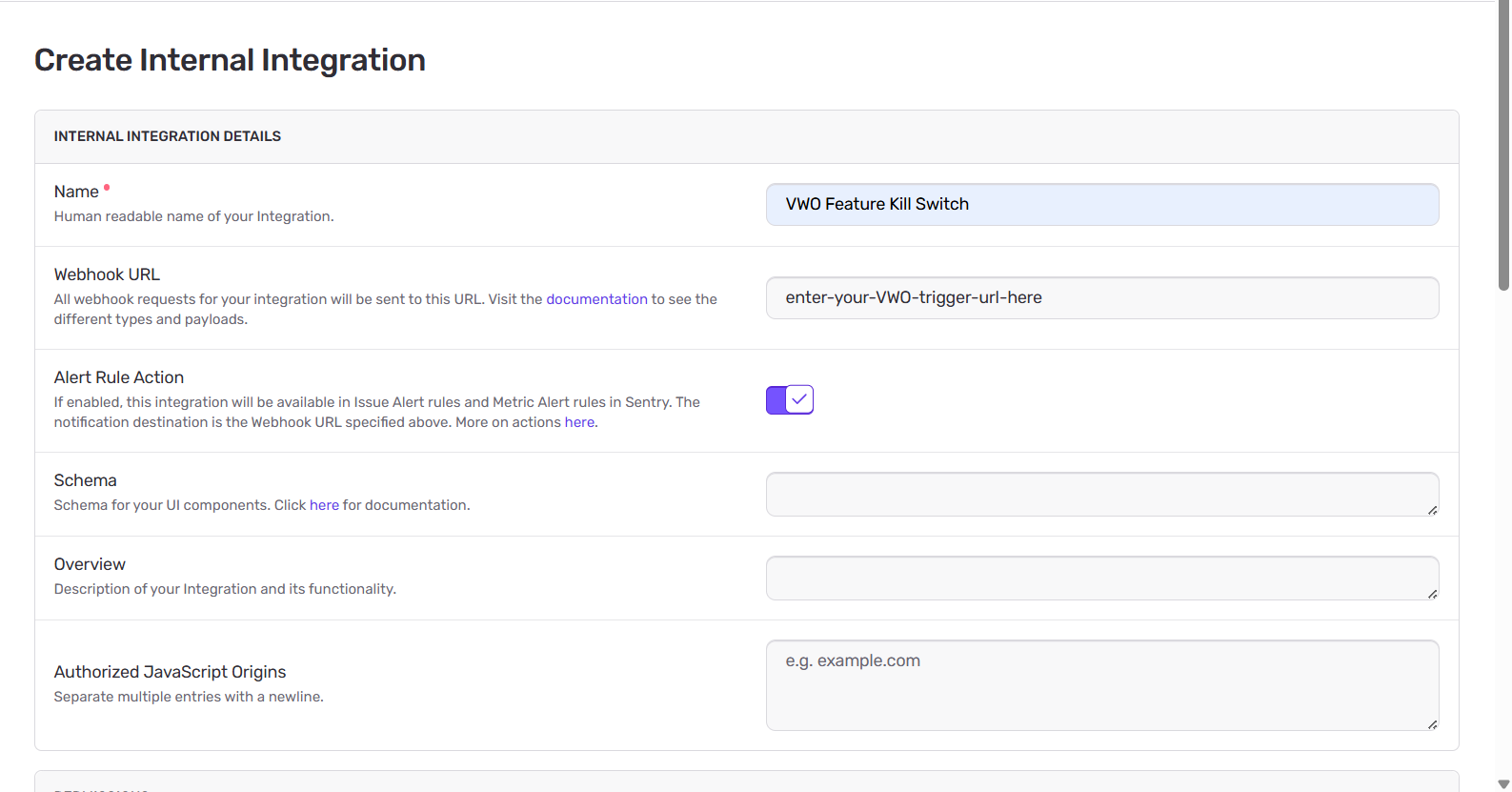
Name: Give it a name (e.g.,
VWO Feature Kill Switch). -
Webhook URL: Paste the Trigger URL you constructed in Step 1.
-
Alert Rule Action: Toggle this to ON (this allows you to use it in alerts).
-
Under Permissions, grant
Readaccess to Alerts, Issue & Event and Projects. -
Under Webhooks, check the boxes for
issueanderror. -
Click Save Changes.
3. Setting up the Alert
Finally, link the integration to an Alert Rule in Sentry.
-
Navigate to Alerts -> Create Alert in Sentry.

-
Choose the metric you want to track (e.g., Number of Errors).
-
Set your threshold (e.g., above 50 errors in 5 minutes).
-
In the Actions section, select Send a notification via an integration.
-
Choose the
VWO Feature Kill Switchintegration you just created.
-
Click Save Rule.
Now, whenever this alert fires, Sentry will hit the trigger URL and disable the feature flag in VWO immediately.
Updated 2 months ago