
Splunk Triggers
Overview
Triggers allow you to automatically disable a specific rule inside a VWO Feature Flag when a metric threshold is breached. For example, if errors spike, Splunk can trigger VWO to turn off the feature flag immediately.
(Note: Splunk has two different interfaces. Instructions are provided below for both Splunk Observability Cloud and Splunk Enterprise / Classic Cloud).
1. Creating the Trigger URL
To set this up, you need to construct the API URL for the specific rule you want to control.
URL Format:
https://app.vwo.com/api/v2/accounts/current/environments/<envId|sdkKey>/features/<featureId|featureKey>/toggle?isEnabled=0&authToken=<your_api_token>Required Paramerters:
- envId|sdkKey: The environment ID or SDK key.
- featureId|featureKey: The unique ID or key of your feature flag.
- isEnabled – Set to
0to disable the feature flag (or1to enable it). - authToken: Your VWO API Authentication token.
2. Setting up the Alert Detector in Splunk
In Splunk Observability Cloud, you can configure your alert and attach the VWO Webhook all in one place.
-
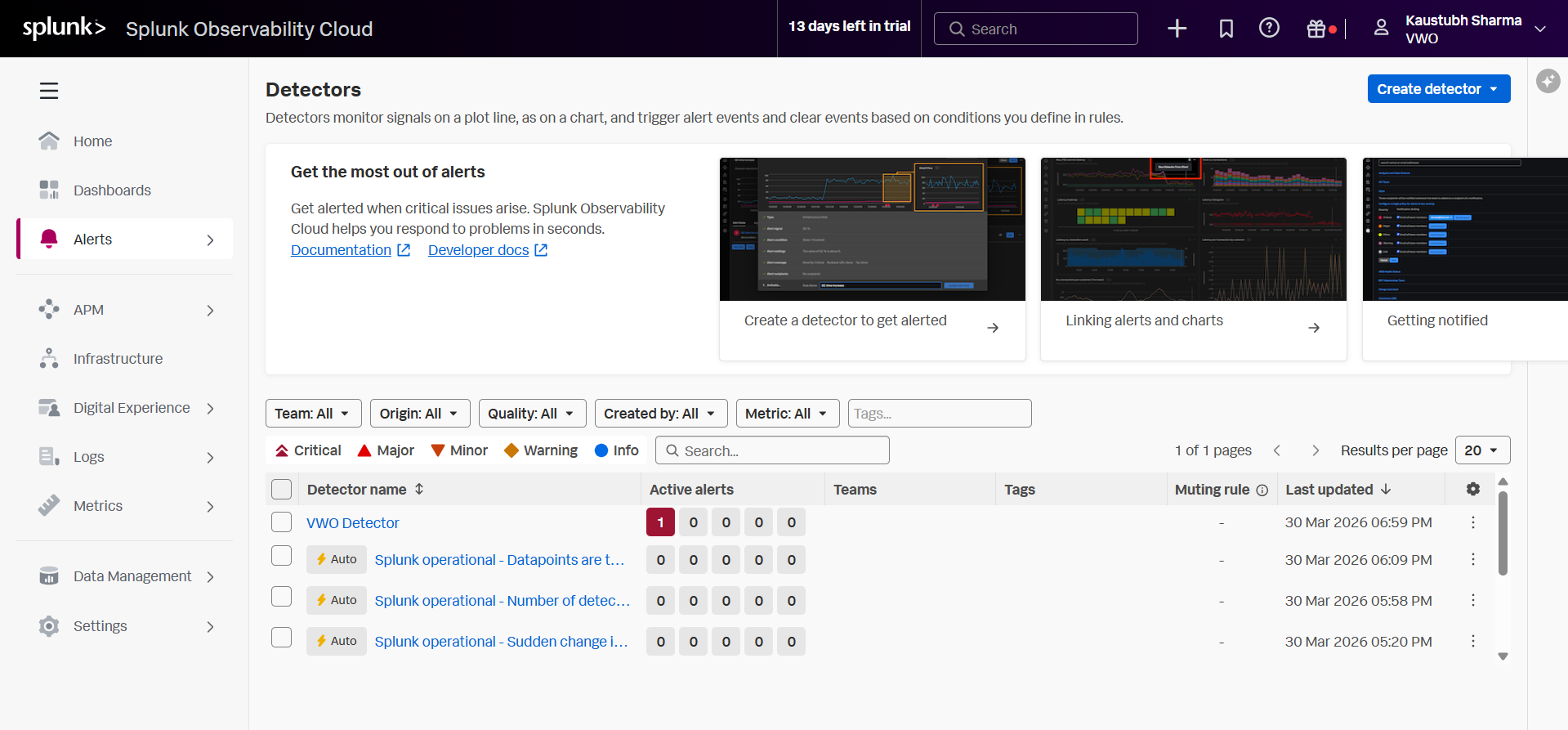
Navigate to Alerts > Detector on the left main menu in Splunk.
-
Click the blue Create Detector button in the top right.
-
Select the appropriate detector type for your use case (e.g., Custom Detector for general metrics) and enter the detector name.
-
Alert Signal: In the "What signal would you like to alert on?" box, enter the specific metric or log event you want to monitor (e.g.,
vwo.test.errors). Click Proceed to Alert Condition.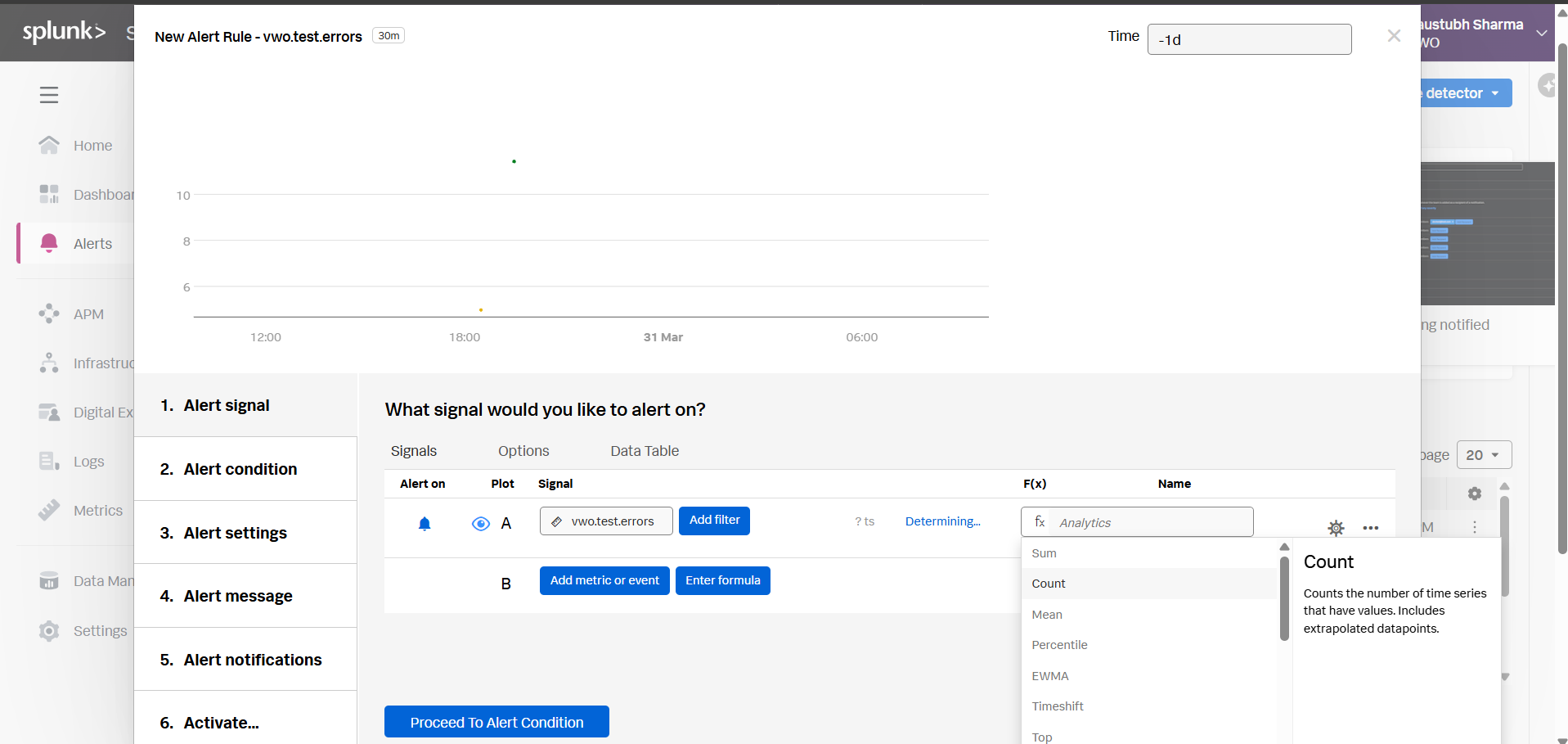
-
Alert Condition: Select the condition type (e.g., Static Threshold). Click Proceed to Alert Settings.
-
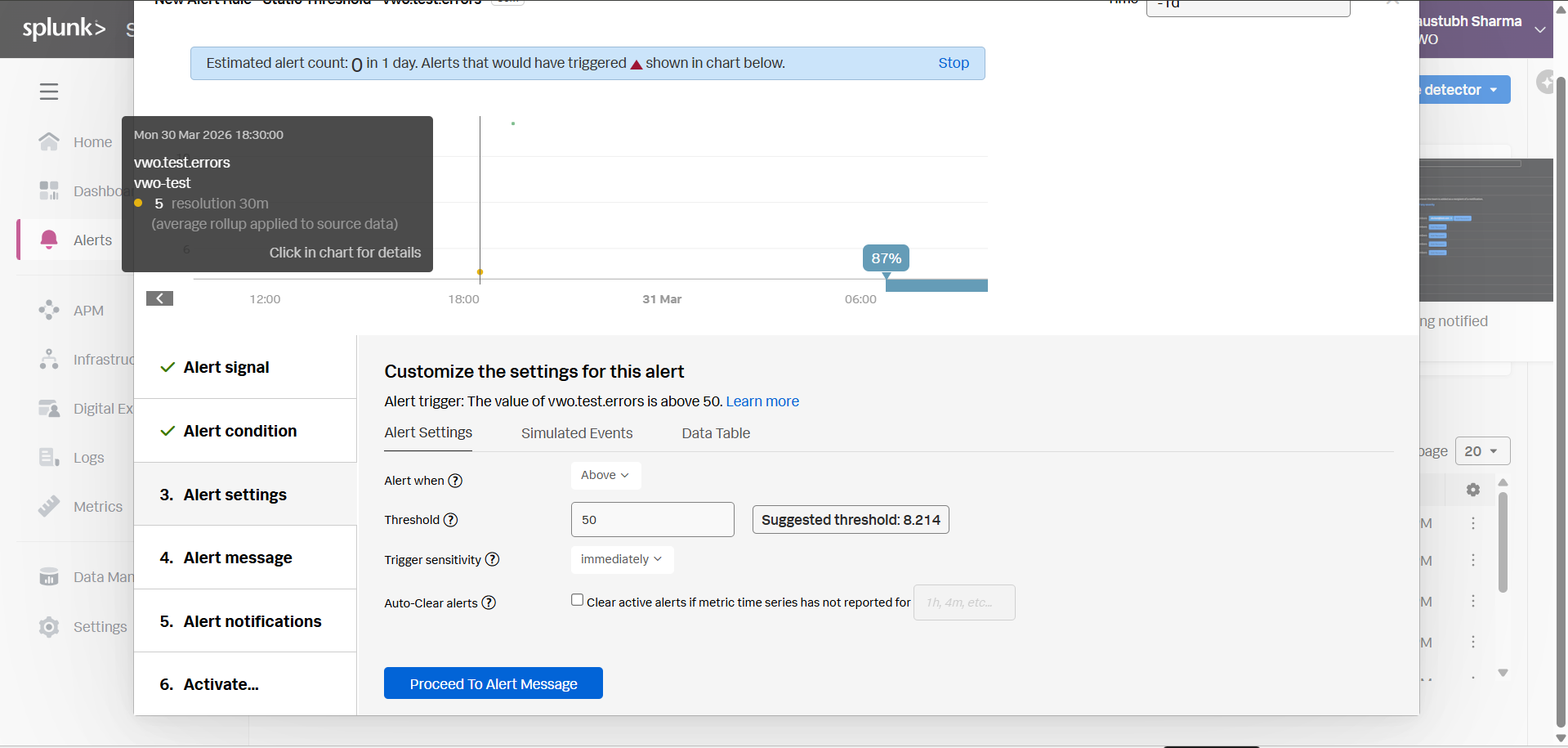
Alert Settings: Define your threshold (e.g., Alert when the signal is Above a threshold of 50).
-
Trigger sensitivity: Important for instant kill-switches: change the dropdown to Immediately (or a very short duration). Click Proceed to Alert Message.
-
Alert Message: Configure severity and runbook URLs (optional). Click Proceed to Alert Notifications.
-
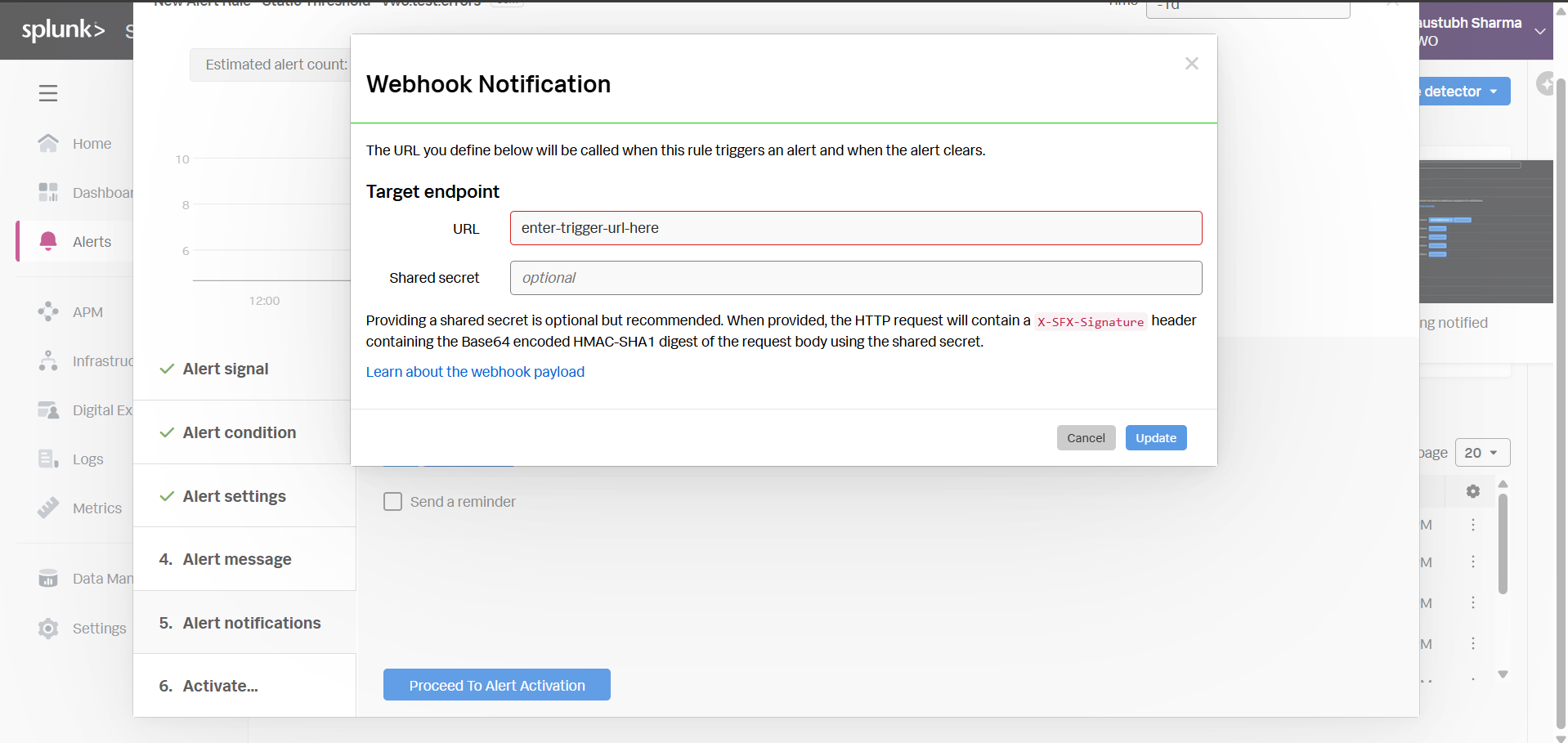
Alert Notifications: Click Add recipient, select Webhook.
-
Target endpoint URL: Paste the VWO Trigger URL you constructed in Step 1. (Leave 'Shared secret' blank). Click Update, then Proceed to Alert Activation.
-
Activate: Name your detector rule and click the Activate Alert Rule button.
Now, whenever this alert threshold is breached, Splunk will instantly hit the webhook and disable the feature flag in VWO.
Alternative: Splunk Enterprise / Classic Cloud Setup
If you are using classic Splunk instead of Observability Cloud, the process uses Saved Searches instead of Detectors.
- Perform your Search: In the main Splunk search bar, write the query that identifies your critical error (e.g.,
index="main" status=500). - Save as Alert: Click Save As in the top right corner and select Alert.
- Trigger Conditions: Define when the alert should fire (e.g., trigger when the Number of Results is > 0 in the last 1 minute).
- Trigger Actions: Click + Add Actions and select Webhook.
- URL: Paste the VWO Trigger URL constructed in Step 1. (No payload configuration is necessary since
isEnabled=0is in the URL). - Click Save.
Updated about 1 month ago